
Overview
How Msty Go works and where to start
Msty Go is Msty's desktop agent app for reliable, end-to-end execution across chat, automation, memory, and operational workflows. You can run local-first, connect cloud providers when needed, and expand into channels and tooling as your workflows mature.
If you are new, start with Setup. If you are deploying Go in shared or production contexts, apply Security controls before enabling external routing.
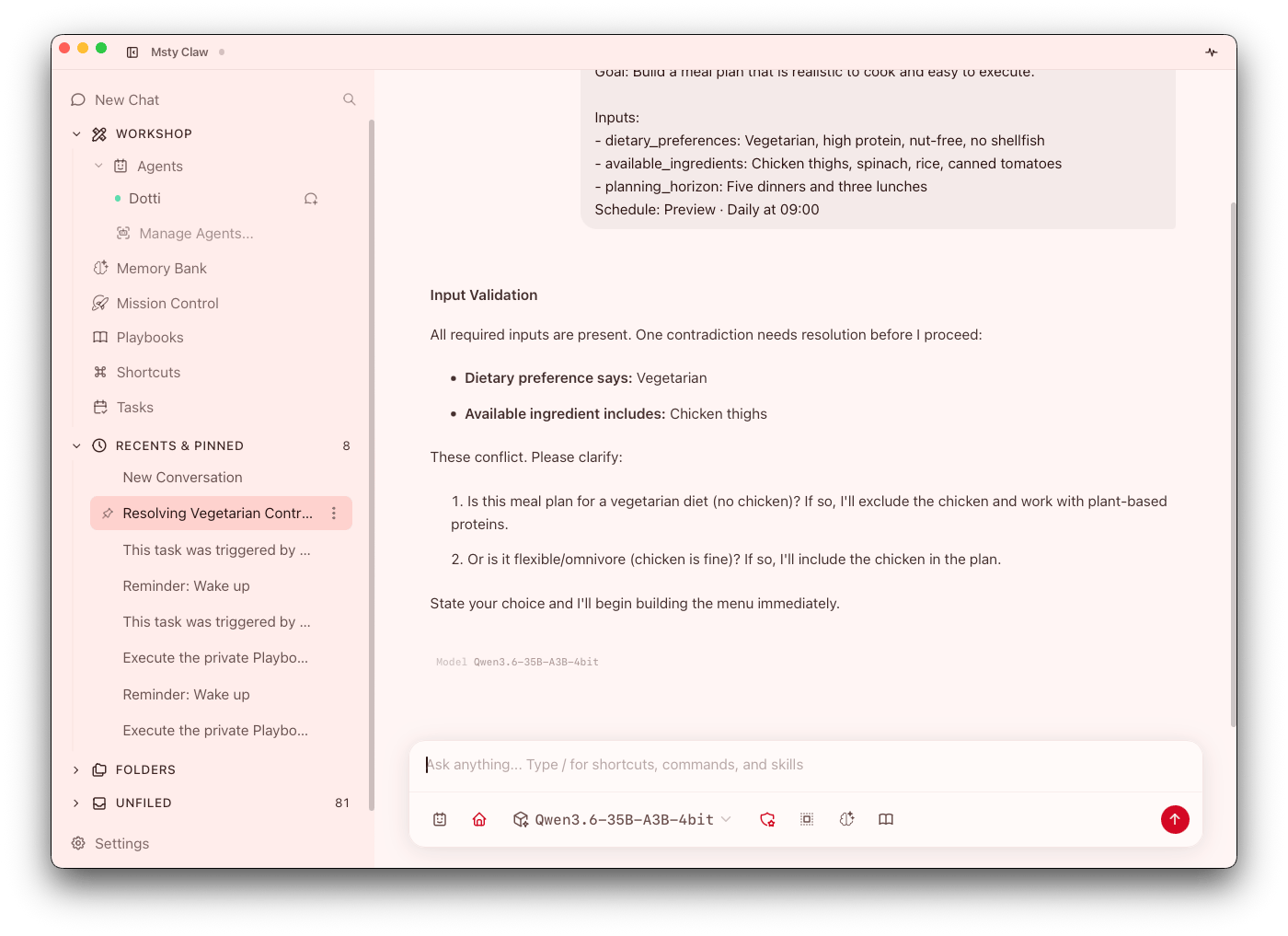
Install and compatibility
Download from msty.ai/products/go.
Compatible platforms:
- macOS
- Windows
- Linux
If your team uses mixed operating systems, standardize your setup sequence and security baseline so behavior is consistent across devices.
What Go is built for
- Local-first execution with optional cloud-connected workflows
- Agent-based operations with explicit runtime and permission controls
- Proactive workflow briefing through Pulse
- Mission-level orchestration through Mission Control and Task Force
- Durable context through Working Brief and Memory Bank
- Repeatable execution through Playbooks, Tasks, Shortcuts, and Rules
- Extensibility through built-in tools, Skills Hub, Context Scout, and MCP servers
Taken together, these capabilities are meant to support an operations workflow: start small, validate behavior, then scale usage through repeatable and controlled patterns rather than ad-hoc prompting.
Core product model
Think of Go as seven connected layers:
- Agents: execution identity (workspace, runtime, routing, permissions)
- Briefing and chat flow: Pulse, Side Chat, chat organization, and response controls
- Mission Control: run room for subagents, approvals, and handoffs
- Memory: live state (Working Brief) plus durable memory packs
- Playbooks, Tasks, and Rules: reusable, scheduled, and event-based automation
- Providers and Tools: model routing, MCP capabilities, and search/tooling
- Security and Settings: sender policy, folder/network controls, and app defaults
When something goes wrong, this layered view helps you troubleshoot quickly: check identity/scope first (Agents), then capability routing (Providers/Tools), then guardrails (Security/Settings). Recent product updates strengthen this model with Pulse briefings, Side Chat, Rules, local chat-to-agent handoff, workspace profile files, cross-platform Computer Use on macOS and Windows, and better long-running execution behavior across complex tasks.
How to use this documentation
If you are setting up Go for the first time
This path is optimized for first reliability, not maximum features.
- Follow Setup
- Apply Security baseline controls
- Create and test your first Agent
- Add Tools and optional Model Providers
If you are rolling Go out to a team
This path prioritizes consistency and operational control across multiple operators.
- Standardize Working Styles
- Define guardrails in Security
- Package repeatable operations in Playbooks
- Add automation through Tasks
- Add remote routing in Channels only when needed
If you are optimizing day-2 operations
This path helps reduce repetitive work and improve quality over time.
- Improve context durability in Memory Bank
- Review open work and cleanup opportunities with Pulse
- Reduce repetitive prompting with Shortcuts and Rules
- Tune integrations in Managed Services, Tools, and Airlock
- Finalize device/state strategy in Cloud Sync