
Channels
Connect Discord, Telegram, WhatsApp, and Msty Go routes
Channels let Go receive and send messages through remote platforms. They are best introduced after local agent execution is stable.
Open Settings > Remote Routes to configure connections and routing.
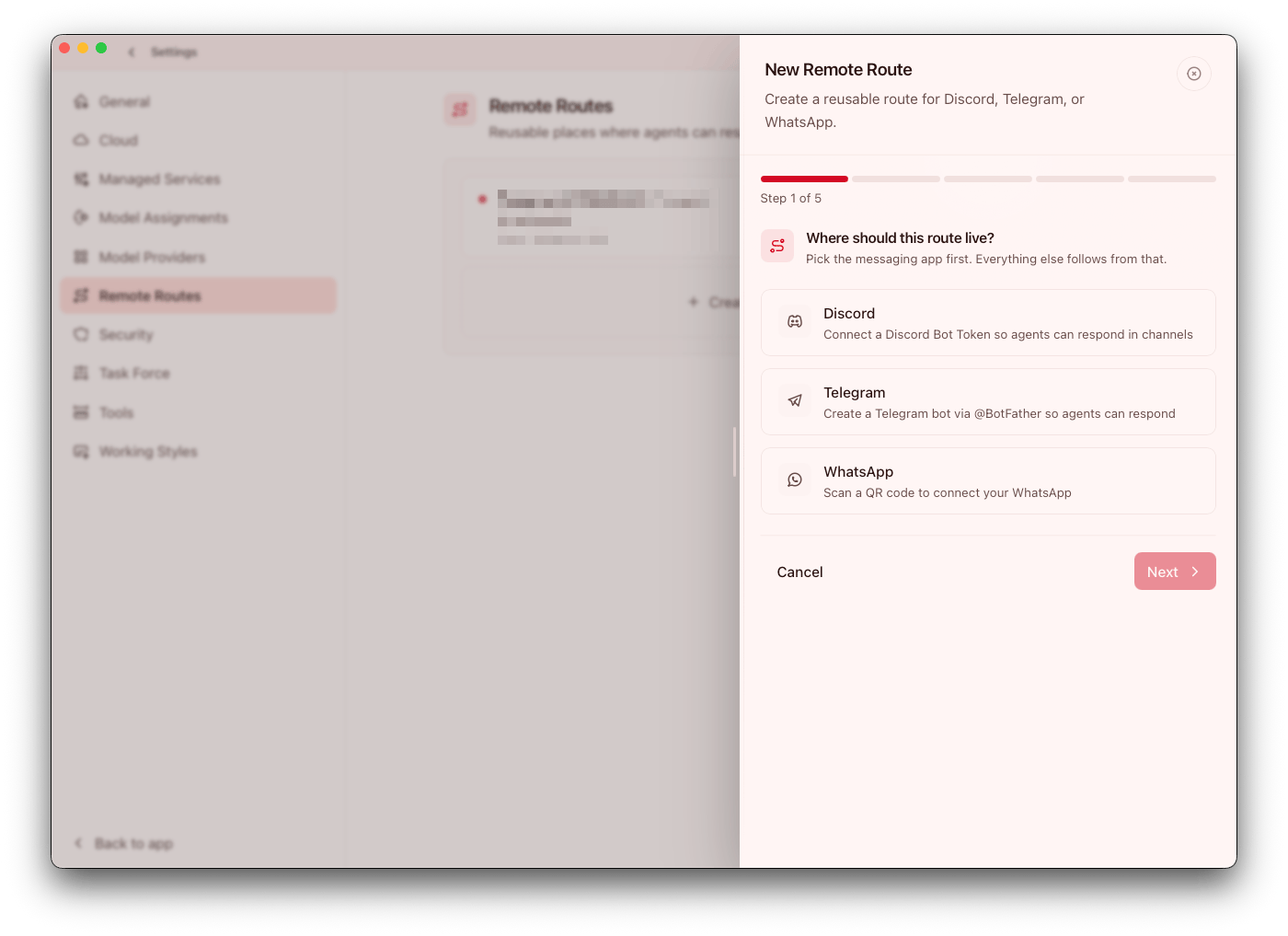
Supported platforms
- Discord
- Telegram
- Msty Go (mobile route)
- Invite-only Android app access (account-gated)
Treat platform choice as an operational decision. Pick the channel your team already monitors reliably before adding secondary routes.
Core flow
- Connect a channel account/session
- Create a channel preset
- Bind agents/tasks to that preset
- Validate with a controlled test message
Do not skip validation. A controlled test catches routing or sender-policy mistakes before they affect production conversations.
Why presets matter
Channel presets keep routing consistent and secure.
Each preset stores:
- Platform
- Channel connection
- Destination address/chat ID
- Optional trigger word
- Sender-group policy
Presets also make change management easier: update one preset and all linked automations inherit the same routing policy.
Access options:
Anyone in this chatRestrict accesswith sender groups
WhatsApp notes
WhatsApp setup includes QR-based connect and selecting chat targets after inbound visibility is established. Expect setup to be more stateful than Discord/Telegram flows; keep an operator-owned checklist for reconnect or device rotation events.
Msty Go mobile notes
Mobile routing is available through Msty Go when enabled for your account.
- Pair phones in Settings > Cloud > Msty Go using QR setup
- Enable phone access on desktop before routing to mobile
- Use channel presets to target a mobile route (
all-devicesor a scoped route id) - Validate reconnect behavior after app or desktop updates
Use mobile routes for high-priority workflows where operator response speed matters. Keep low-priority automation on desktop routes to reduce noise. As mobile connectivity improves, keep validation checks in place after app or account changes to avoid silent routing drift.
Local-only mode remains valid
Channels are optional. Agents can run in Local only mode without remote integrations. For many teams, this is the right default until governance and routing requirements are clear.
Operational guidance
- Use presets for production routes, not one-off values
- Keep sender restrictions explicit in shared channels
- Re-validate presets after platform or agent permission changes
- Start with low-risk tasks before high-impact automation
When incidents happen, preset-based routing significantly reduces troubleshooting time because destination and access policy are centrally visible.